

RenameMail
Privately rename, color-code, bold with ⌘B, search by color, and sync email subjects across Chrome, Arc, Brave, Zen & Firefox via a 5-character OTP. 100% private to you.
About
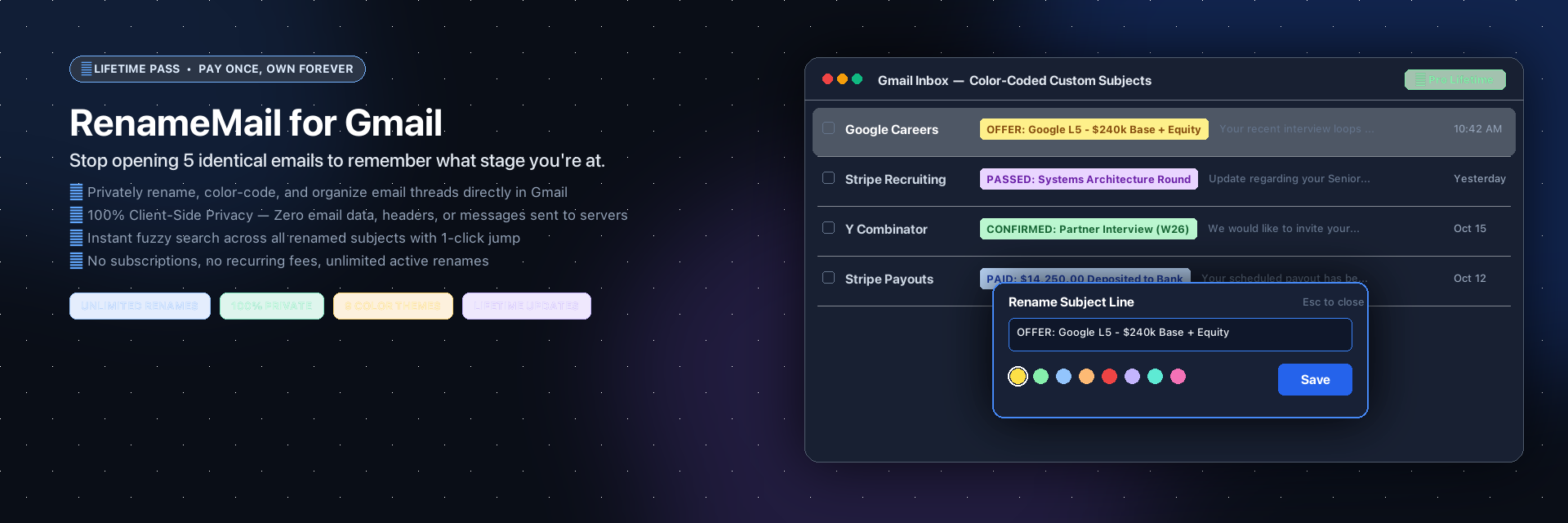
RenameMail turns your cluttered Gmail inbox into a visual, organized workspace. Most email subjects are vague, cluttered, or terrible for tracking tasks. RenameMail lets you privately rename any email subject line, apply visual color tags, bold crucial details with ⌘B, and search directly by color.
Read full description
RenameMail turns your cluttered Gmail inbox into a visual, organized workspace. Most email subjects are vague, cluttered, or terrible for tracking tasks. RenameMail lets you privately rename any email subject line, apply visual color tags, bold crucial details with ⌘B, and search directly by color. * Private Subject Renaming: Replace confusing email subjects with actionable titles only visible to you. * Visual Color-Coding: Assign distinct color tags to instantly categorize urgent tasks, clients, and projects. * Instant Bold (⌘B / Ctrl+B): Emphasize key details directly in your inbox list view. * Search by Color: Filter your inbox by color tags in seconds to locate active threads effortlessly. * Cross-Browser Sync: Sync your custom names and colors across all your browsers using a simple 5-character OTP. * 100% Private & Secure: No email reading, no data harvesting, and no external tracking. It works seamlessly across Chrome, Arc, Brave, Zen, and Firefox with an instant 5-character OTP sync. Best of all, it is 100% private and local-first: your email content never leaves your browser, and the sender never knows you renamed it.
- Category
- Finance, Productivity, Social & Community
- Available on
- web
- Launched
- November 18, 2026
Reviews
No reviews yet. Be the first to share a useful, honest impression.
Sign in to review this app.
Opt in to release updates in your Rocket inbox. Unfollow here or in Notifications to stop future updates.
Similar apps
Related by category, tags and platform—not a paid placement.


