

VoxWrite
Chrome extension that writes clear texts from your speech

About
VoxWrite - AI Voice Typing.
Read full description
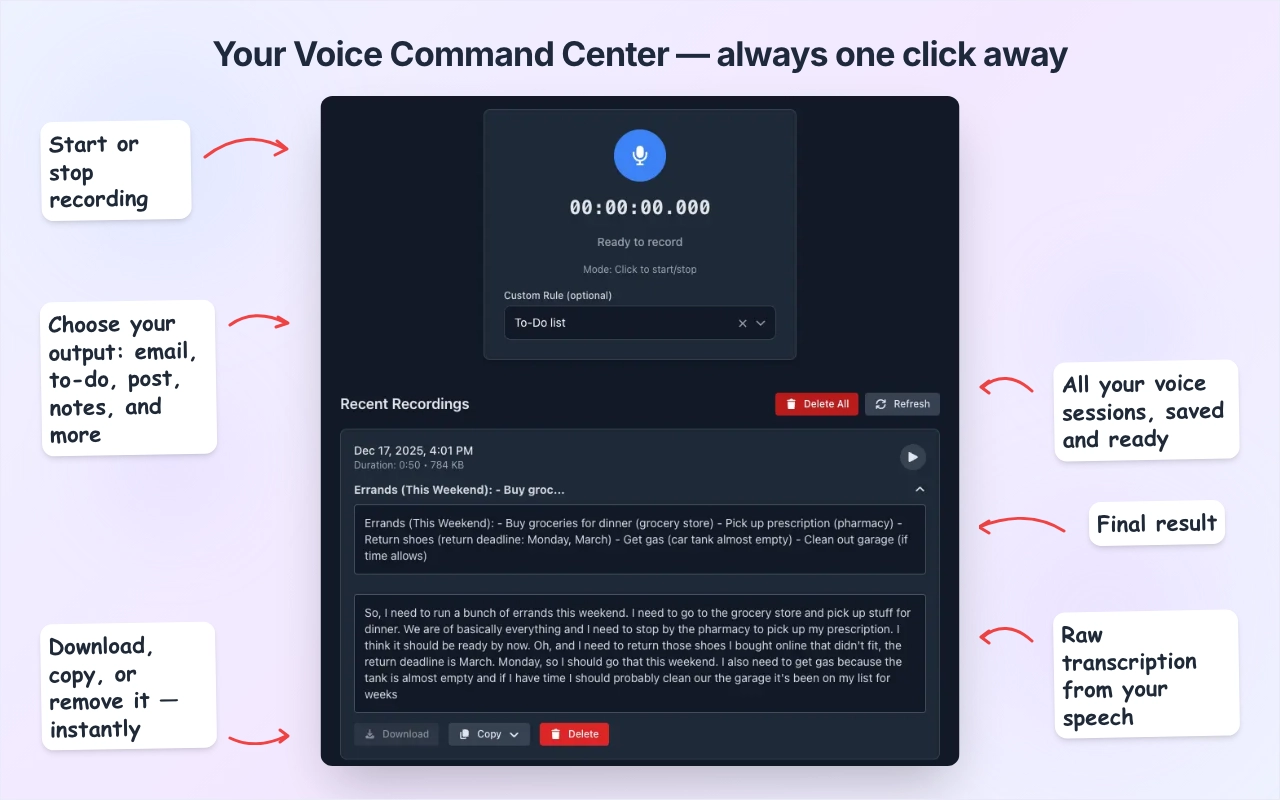
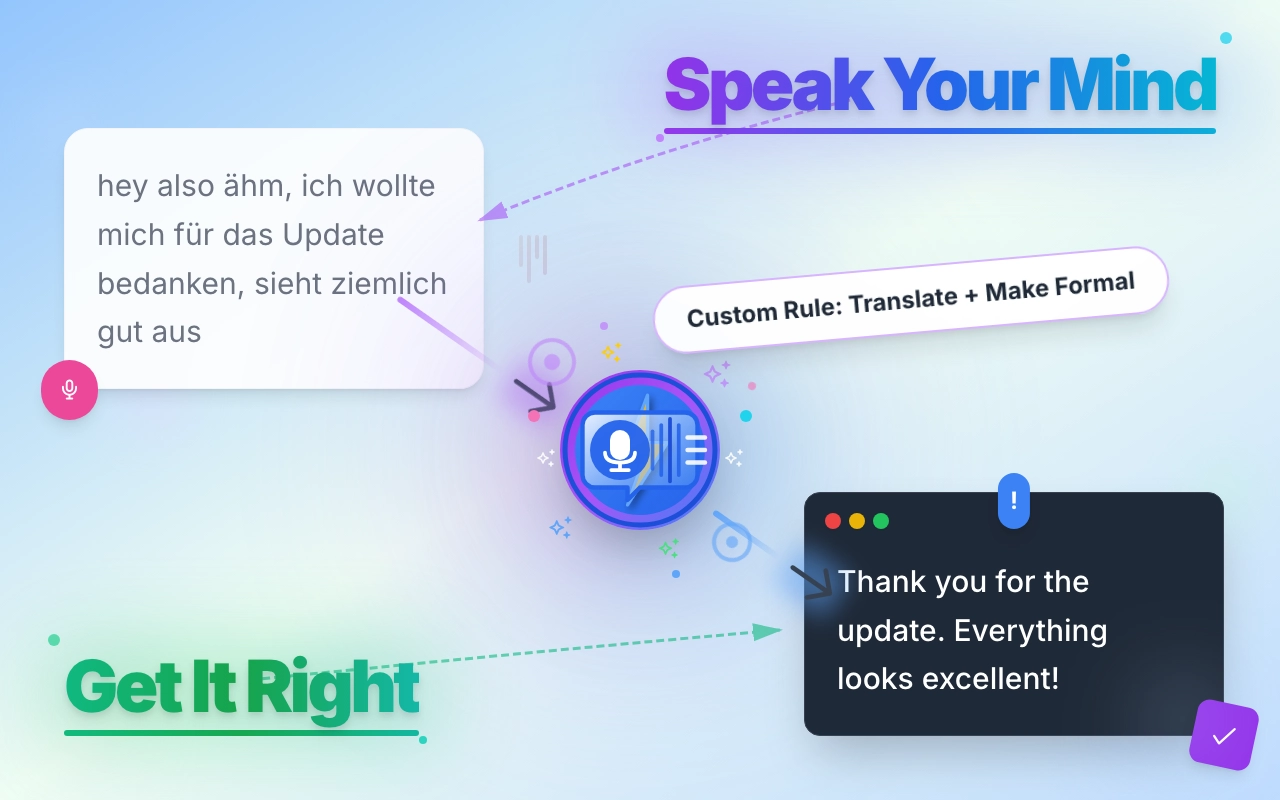
VoxWrite - AI Voice Typing. Speak naturally, get polished text instantly. VoxWrite removes filler words, translates across 50+ languages, and transforms tone. Unlike basic speech-to-text, VoxWrite uses AI to transform your words: Speak Spanish casually → Get formal English emails (translation + tone in one step) Rambling voice notes → Clean bullet points Quick thoughts → Professional proposals Set your preferences once per website—VoxWrite remembers. Formal for Gmail, casual for Twitter, concise for Slack. Key Features ✨ Filler Word Removal - "Um," "uh," "like," "you know"—gone automatically ✨ AI Text Transformation - Change tone (casual → formal), translate while transcribing, summarize long thoughts into bullet points ✨ Custom Rules Per Website - Different settings for different sites, applied automatically ✨ Works Everywhere - Any text field online—emails, docs, chat apps, forms ✨ Flexible Pricing - Simple subscription OR bring your own API keys (OpenAI, Claude, Deepseek). You control costs and data. Perfect For professionals, content creators, multilingual teams, accessibility needs—anyone who wants to speak naturally and get professional text. Try VoxWrite today—turn your voice into professional writing in seconds.
- Category
- Productivity, Voice AI Tools
- Available on
- web
- Launched
- January 19, 2026
Reviews
No reviews yet. Be the first to share a useful, honest impression.
Sign in to review this app.
Opt in to release updates in your Rocket inbox. Unfollow here or in Notifications to stop future updates.